💥
The Blind Deploy
You update a trigger. Tickets stop routing. Three teams are shouting. You have no idea what broke or why. Configly maps every dependency before you touch a thing.
Now in Beta · Zendesk Marketplace Partner
Simulate Zendesk changes, spot conflicts instantly, and understand every dependency — without needing Enterprise or a sandbox.
Free during beta · No credit card · Approved within 48 hours
Read-only access · Encrypted at rest · No ticket data stored
You update a trigger. Tickets stop routing. Three teams are shouting. You have no idea what broke or why. Configly maps every dependency before you touch a thing.
Zendesk locks sandboxes behind Enterprise at £169/agent/month. That's £8,450/year for a 50-agent team — just to test changes safely. Configly simulates changes for a fraction of the cost.
No staging environment. No rollback. Your deployment process is "make the change, pray it works, fix it live if it doesn't." Configly's AI tells you exactly what will happen first.
Your compliance team asks what changed last quarter. You have no version history, no audit trail, no answer. Configly tracks every configuration change automatically.
Install the app from the Zendesk Marketplace. Configly takes a read-only snapshot of your configuration — triggers, automations, macros, views, and more.
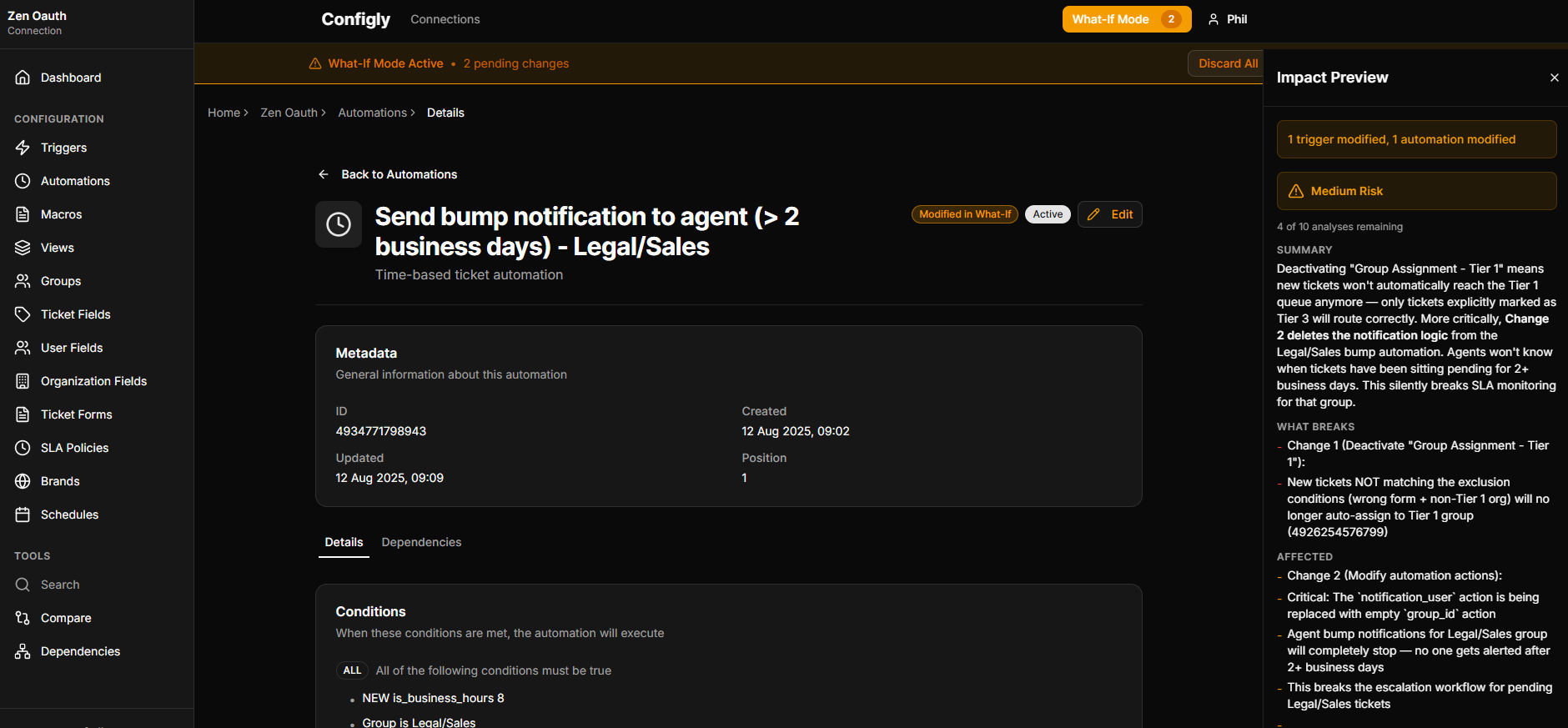
Pick a configuration item and describe what you want to change. Our AI analyses dependencies, detects conflicts, and shows you the blast radius — before anything goes live.
See exactly what will be affected. No surprises, no broken routing, no 2am firefights. Make the change in Zendesk knowing it's safe.
Know exactly what will happen before it happens. Our AI analyses every dependency, flags conflicts, and shows you the full impact — so you never break production again.
See exactly what changed, when, and by whom. Compare any two points in time across all your triggers, automations, macros, views, and more.
Finally understand how everything connects. Visualise relationships between triggers, automations, and fields. Find orphaned configs before they cause problems.
Find any trigger, field, or automation in seconds — not minutes of clicking through Zendesk. Search across all 8 configuration types instantly.
Yes. Configly uses read-only API access — it takes snapshots of your configuration but never writes to your Zendesk instance. Your live environment is never at risk.
Sandboxes require an Enterprise subscription (£169/agent/month) and still need manual setup. Configly works with any Zendesk plan, simulates changes instantly using AI, and maps dependencies that sandboxes can't show you.
Configly works with all Zendesk plans — Team, Growth, Professional, and Enterprise. No Enterprise subscription required.
Configly is free during beta with no credit card required. When we launch, beta users move to a paid plan. Active beta users get 50% off their plan — for life. This offer won't be repeated.
About 5 minutes. Install from the Zendesk Marketplace, authorise read-only access, and Configly takes its first snapshot. You'll be exploring your configuration dependencies immediately.
Yes. Configly supports multiple Zendesk instances from a single account — ideal for partners and consultancies managing several clients.
We're onboarding new users weekly. Tell us about your Zendesk setup and we'll be in touch within 48 hours.
Early bird pricing: Active beta users get 50% off their plan — for life. This offer is exclusive to beta and won't be repeated.
By requesting access you agree to our beta terms.