Know what will break before you break it
Create virtual changes, simulate their impact, and see exactly what will be affected, all without touching your live Zendesk instance.
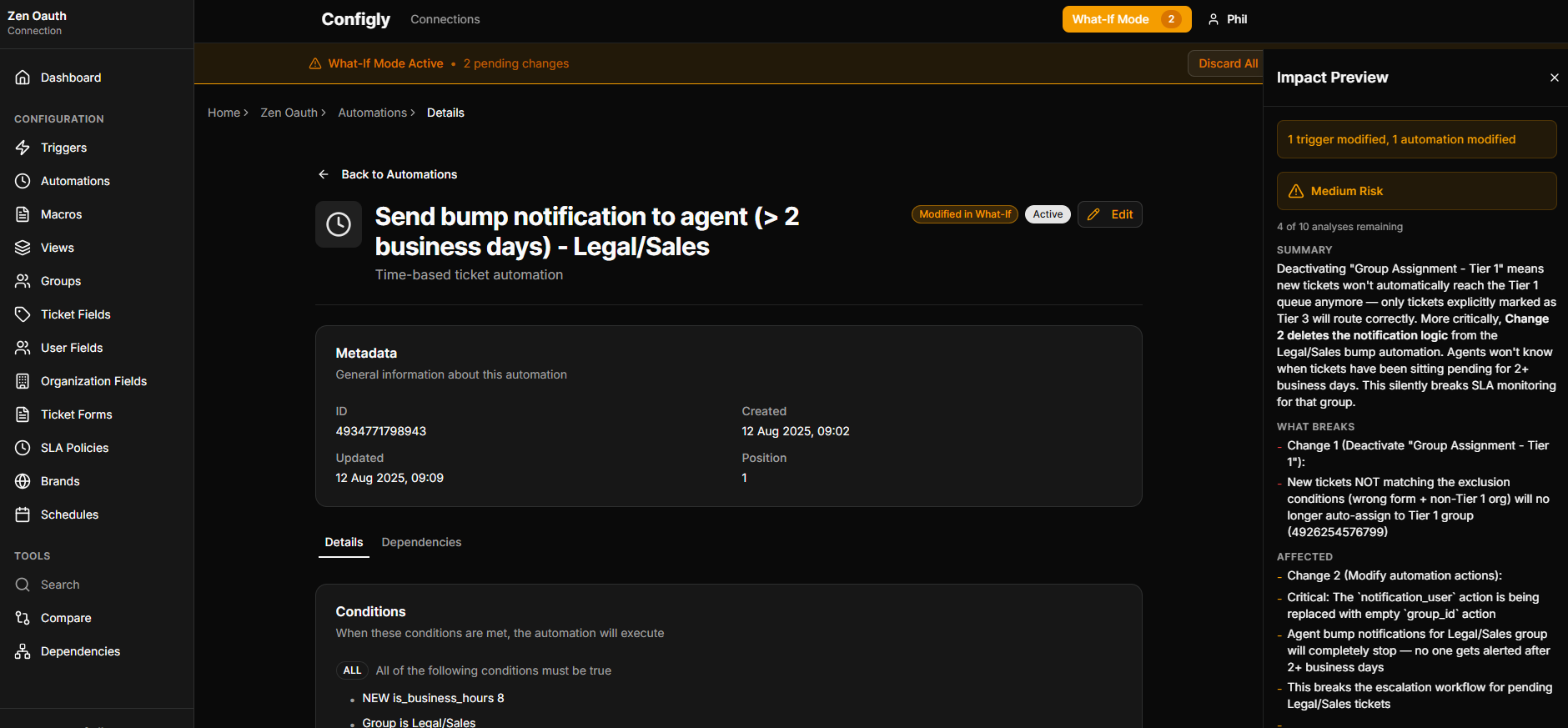
The problem
Every Zendesk admin knows the feeling. You need to update a trigger, but you're not sure what else depends on it. You could check manually — clicking through dozens of triggers and automations, trying to trace the logic — or you could just make the change and hope nothing breaks.
Zendesk's answer is a sandbox environment, but that requires an Enterprise subscription at £169/agent/month. For most teams, that's not an option.
Configly gives you a better way.
How it works
Create a virtual change
Select any trigger, automation, macro, or field and define your proposed modification. Nothing touches Zendesk.
See the impact
Configly traces every dependency and shows you exactly what will be affected, flagging conflicts and execution-order issues as it goes.
Deploy with confidence
Review the analysis, make adjustments if needed, then apply your change knowing exactly what to expect.
Key capabilities
Virtual change creation
Create, modify, or delete any configuration item in a safe virtual environment.
AI verification on paid plans
On paid plans, layer AI verification on top: it reads your change in context and explains the real impact in plain English.
Conflict detection
Automatically identifies conflicting triggers, overlapping conditions, and execution order issues.
Dependency tracing
See every object that depends on the item you're changing.
Batch simulation
Simulate multiple changes together to see their combined impact.
No Enterprise required
All the safety of a sandbox without the Enterprise price tag.
Ready to simulate your next change?
14-day free trial. No credit card required.
Start Free Trial