It’s been 26 days since the last update, and honestly? It feels like a different product.
We’ve gone from “approaching closed beta” to closed beta is live and running, with real users testing real Zendesk instances. But that’s not even the biggest news. Let me walk you through what’s changed.
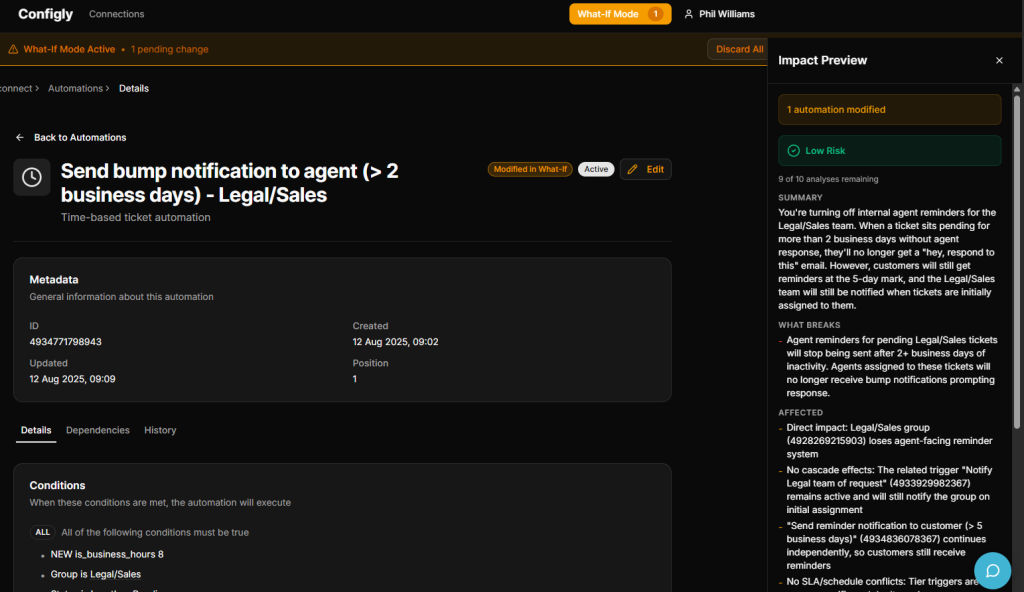
The Headline: What-If Simulation Mode
This is the feature that makes Configly different from everything else out there.
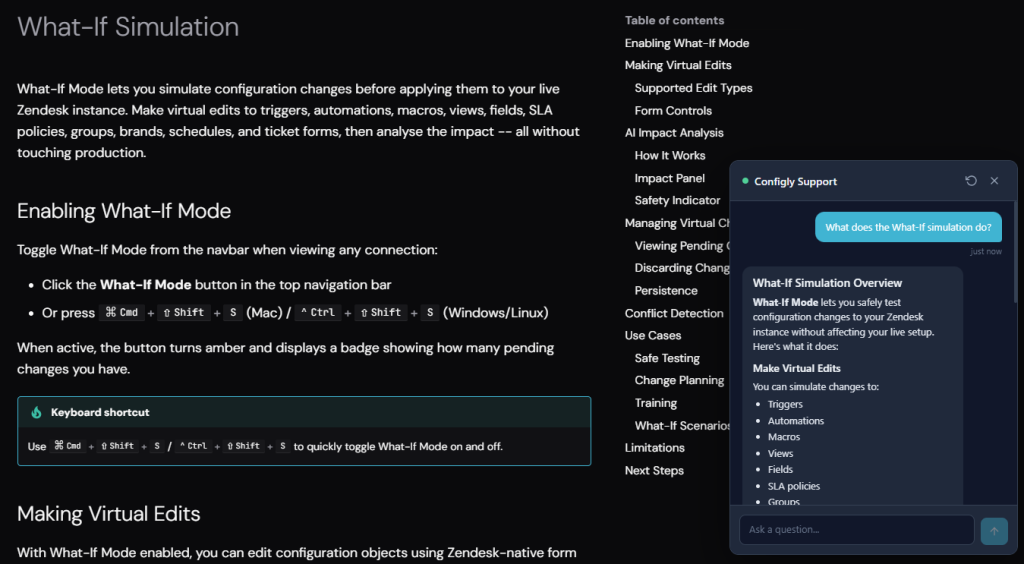
Enable What-If Mode from the navbar (or press Cmd+Shift+S / Ctrl+Shift+S) and you can make virtual edits to triggers, automations, macros, views, fields, and SLA policies. Changes exist only in Configly. Nothing is sent to Zendesk. Nothing breaks.
Then hit AI Impact Analysis and Configly will tell you exactly what your changes would affect: risk assessments, conflict detection, execution order changes, and which downstream items would be impacted.
This is the sandbox experience that Zendesk locks behind Enterprise at £169/agent/month. Except ours actually tells you what will happen, not just gives you a place to break things differently.
12 Configuration Types (Up from 8)
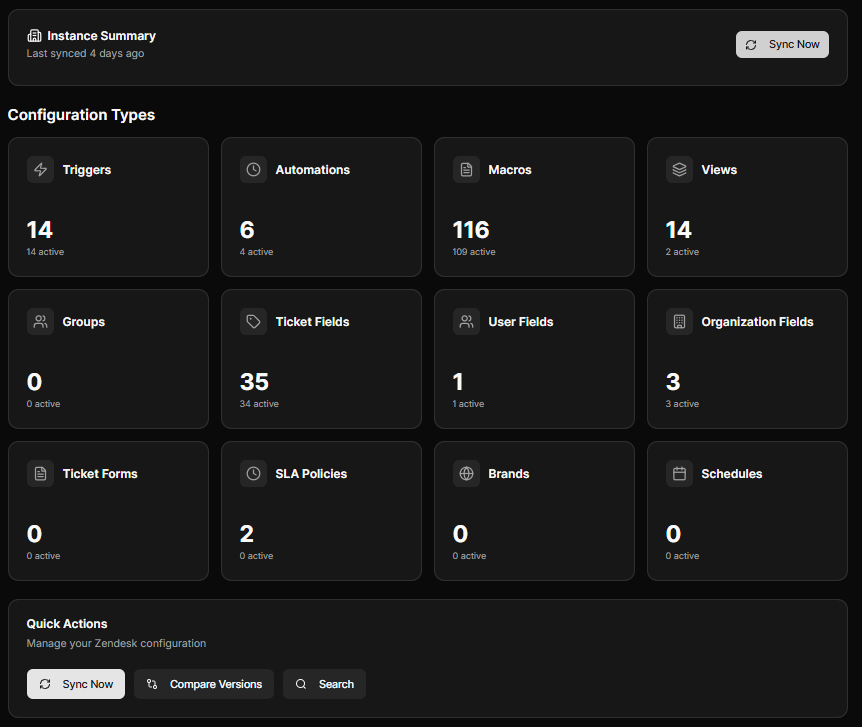
When we last talked, Configly synced 8 object types. Now it’s 12. We’ve added full sync support for:
- Groups — see which triggers and automations route to each group
- Brands — track brand-specific configurations across your instance
- Schedules — understand how business hours affect your SLA policies
- Ticket Forms — map form dependencies across your workflow
These aren’t just lookup references. They’re first-class objects with snapshot comparison, dependency mapping, and What-If simulation support. Every card on the dashboard now shows total and active counts.
Global Search
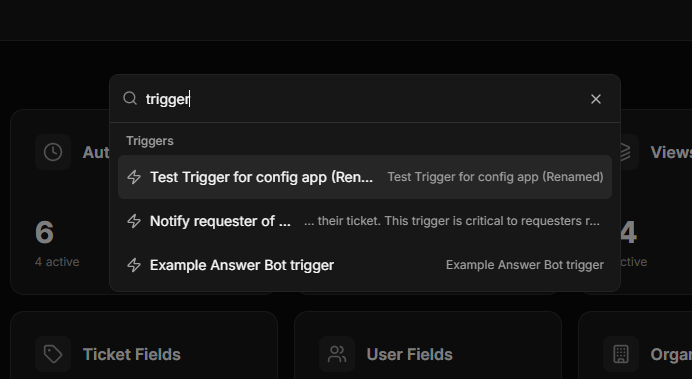
Press Cmd+K / Ctrl+K from anywhere. Search across all 12 configuration types instantly. Results are grouped by type with preview text and recent search history. It’s the fastest way to find anything in your Zendesk configuration.
Social Login
Sign in with Google or Microsoft alongside email and password. If you’ve already got an account, linking is automatic when the email matches. One less password to manage.
First-Time Onboarding
New beta users now get a proper welcome: a guided first-sync experience with per-type progress tracking and a celebration screen showing exactly what Configly found in their instance. Contextual hints introduce features like search and snapshot comparison as you explore.
Better Snapshot Comparison
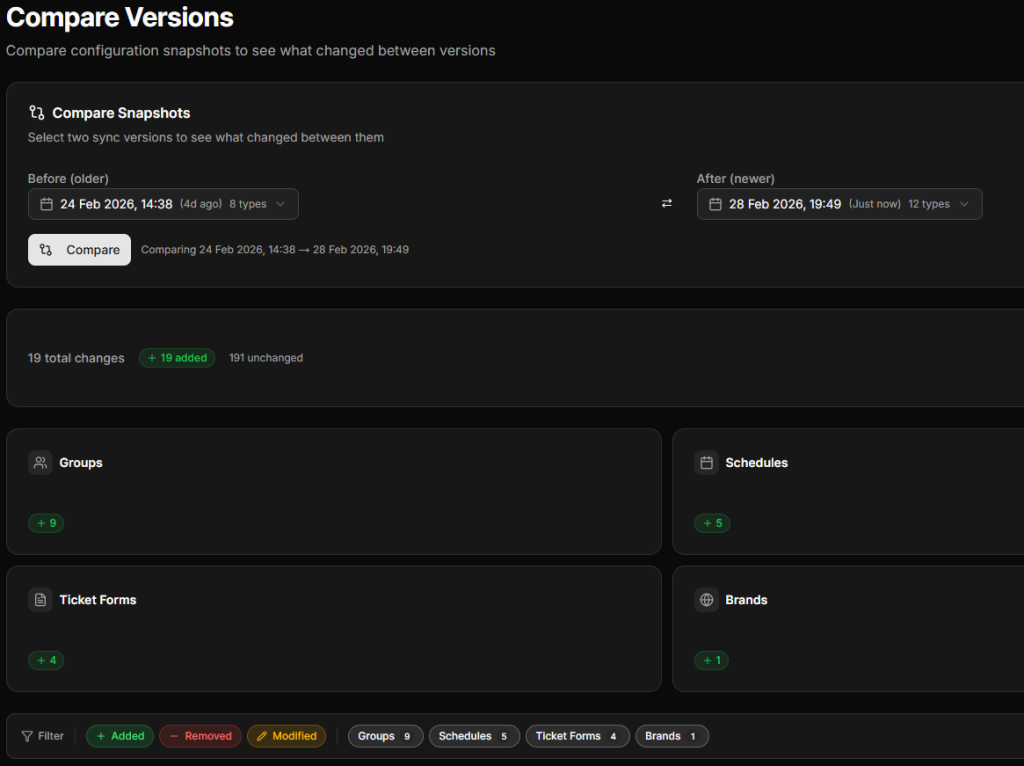
Snapshot selectors now show full date/time with relative timestamps (“2h ago”), a swap button to reverse comparison direction, and filters by change type and configuration type. Small things, but they make the daily workflow noticeably smoother.
Error Handling That Actually Helps
When something goes wrong, Configly now tells you what to do about it. Authentication errors link directly to the connections page. Rate limit errors show countdown timers. After multiple retries, you get diagnostic information (error codes, timestamps, attempt counts) so you can tell us exactly what happened.
Sentry Error Tracking
Behind the scenes, we’ve added application-wide error tracking with Sentry across the backend API, frontend app, and admin panel. When something breaks, we know about it before you do.
Built-in Support Chat
As of today, there’s an AI-powered support chat widget on every Configly surface. Ask a question on the docs site and get an instant answer pulled from our documentation. Browsing the marketing site? The bot switches to presales mode and can walk you through what Configly does and how it compares to alternatives.
Inside the app, the same widget gives you technical support. And if the AI can’t help, your message comes straight to me and I’ll reply in real-time.
No ticketing system. No “we’ll get back to you in 24 hours.” Just answers.
What’s Next
We’re focused on three things over the coming weeks:
More configuration types — there are 20-30 more Zendesk object types on the roadmap, prioritised by what beta users tell us they need.
ID resolution — replacing raw Zendesk numeric IDs with human-readable names throughout the interface. Because “Group 12345” means nothing to anyone.
Health check auditing — automated recommendations that encode years of Zendesk admin expertise. Think of it as a code review for your Zendesk configuration.
Join the Beta
We’re still onboarding new users every week. If you’re managing Zendesk without Enterprise and you’re tired of making changes blind, request beta access.
It’s free during beta. No credit card. And active beta users get 50% off for life when we launch.
That offer won’t be repeated.